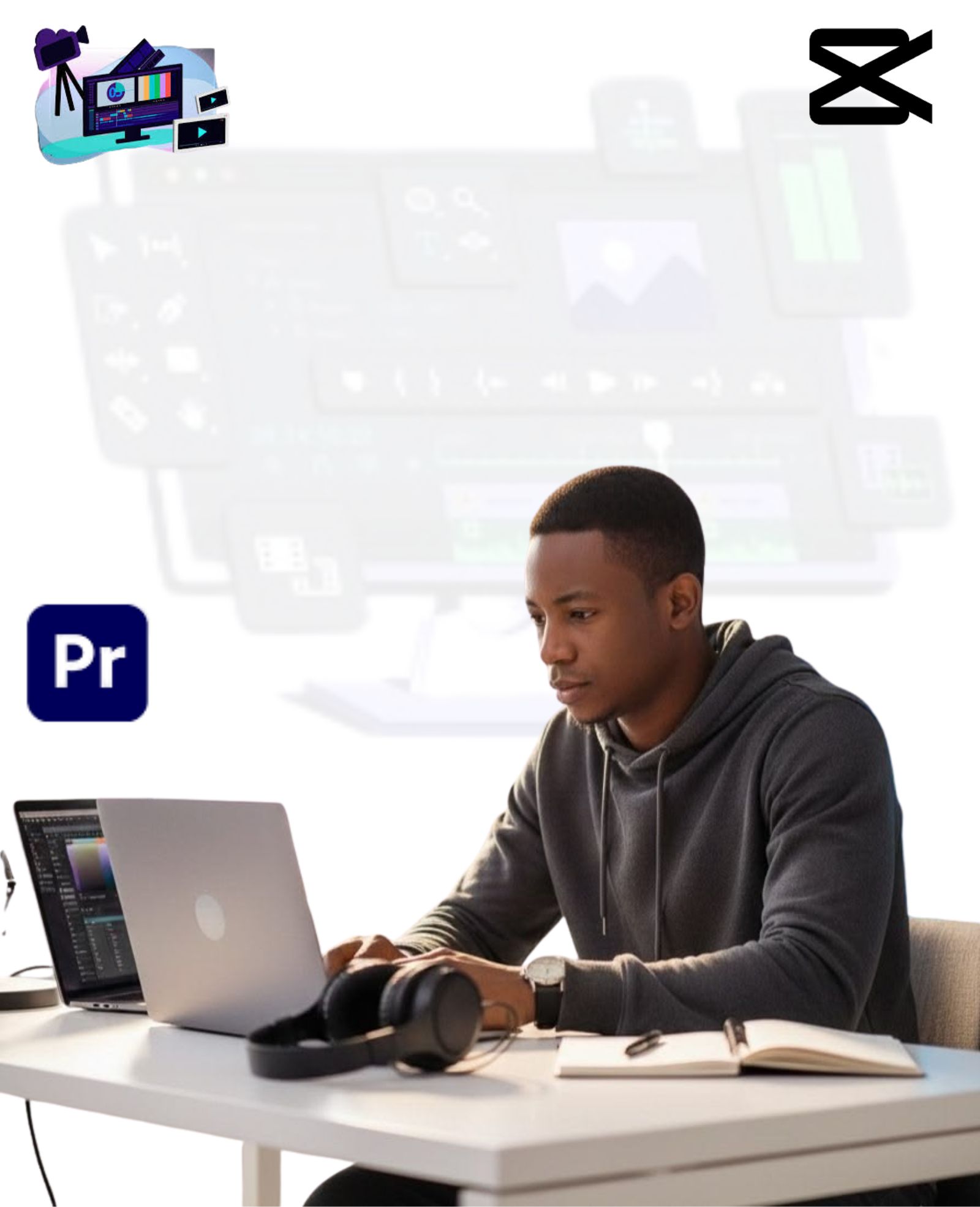
Become a Certified Video Editor: From Novice to Expert
Discover how to edit videos, audio, color grading, motion graphics, and green screen in Adobe Premiere Pro from beginner to expert.
Time before the price increases:
Days
00
Hours
09
Mins
28
Secs
42
Register now
Chat With US
Duration
6 Weeks
Training Fee
₦70,000
Training Days
Mon, Wed & Fri
Start Date
8th June, 2026
![[getpaidstock.com] 689dbd0d19320](https://jobready.com.ng/wp-content/uploads/2025/08/GetPaidStock.com-689dbd0d19320-1024x683.jpg)
Why Take This Course?
Video Editing Is An In Demand Skill Around The World Today.
There are a lot of ways to cash out big time from the comfort of your home in this period. Video Editing is one of them.
Our video editing with filmora course teaches you how to unleash your creativity. You can create remarkable and fascinating videos while also enjoying the editing process, & tell amazing stories.
Register now
Why Choose JobReady?
Beginner Friendly Training
Curriculum Built for 2026 Skills
AI-Powered Learning Approach
Expert-Led Instructors
Flexible Learning Options
Job Placement Support
Affordable Compared to International Bootcamps
Full Career Support
Become An AI Powered Video Editor
Skills You’ll Learn
In this training, We will hold you by the hand and show you Practically The Following From Start to Finish
Phase 1
Complete CapCut Course
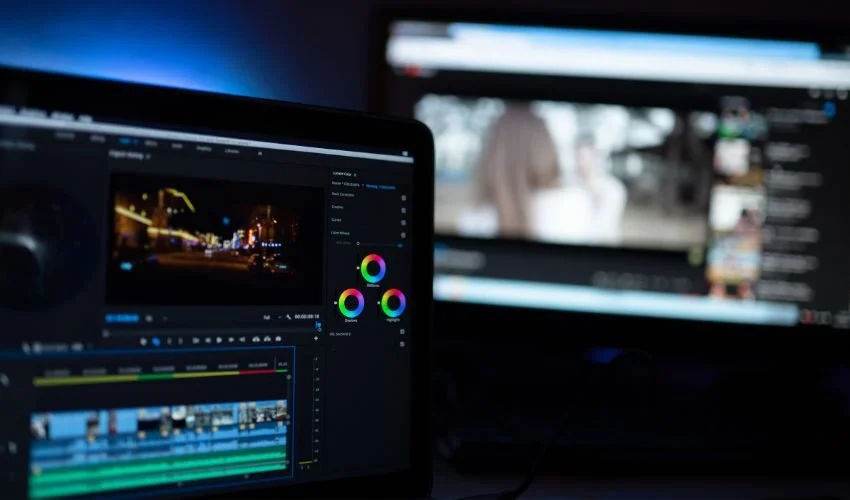
The Complete Capcut course
Learn the fastest way to master video editing with CapCut.
Content Covered
Module 1: Introduction to Video Editing
Start your video editing journey with step-by-step practical lessons covering:
- Setting Up Your Project
- Importing and Organising Your Media
- Applying Basic Transitions
- Exporting Your Video in Various Formats and Resolutions
This module is ideal for complete beginners looking to build a solid foundation in video editing.
Module 2: Professional Video Editing Techniques
Take your editing skills further by exploring advanced, industry-level techniques such as:
- Working with Keyframes and Animated Effects
- Creating Compound Clips and Complex Transitions
- Applying Masks and Custom Animations
- Building Motion Graphics and Using Multicam Workflows
Mastering these techniques will elevate your videos to a more cinematic, professional standard.
Module 3: Audio Design & Sound Effects
Discover how to craft professional-grade audio for your videos, covering topics such as:
- Balancing Dialogue, Music, and Sound Effects
- Achieving Perfect Audio-Visual Sync
- Improving the Overall Sound Quality of Your Videos
By the end of this module, you will have a thorough understanding of sound design, enabling you to deliver crystal-clear, well-mixed audio in all your productions.
Module 4: Color Grading & Visual Enhancement
Develop your eye for visual storytelling with these essential color grading skills:
- Correcting and Balancing Colors Precisely
- Matching Colors Consistently Across Multiple Clips
- Using LUTs to Define Your Visual Style
- Adjusting Exposure and Contrast for Sharper Imagery
- Maintaining a Unified Look Throughout Your Entire Video
- Styling the Full Video with a Cohesive Color Palette
After completing this module, you will be able to transform raw footage into visually stunning, professionally graded content.
Module 5: Real-World Project Practice
Put everything you have learned into practice through guided real-world projects (10+ hours) that include:
- Editing and Refining Full YouTube Videos
- Producing and Cutting Short-Form Content
- Polishing Talking-Head Style Footage
- Designing Intro Sequences for Podcasts
This module gives you genuine hands-on experience across multiple content formats, preparing you to take on real client and personal projects with confidence.
Phase 2
Complete Abobe Premiere Course
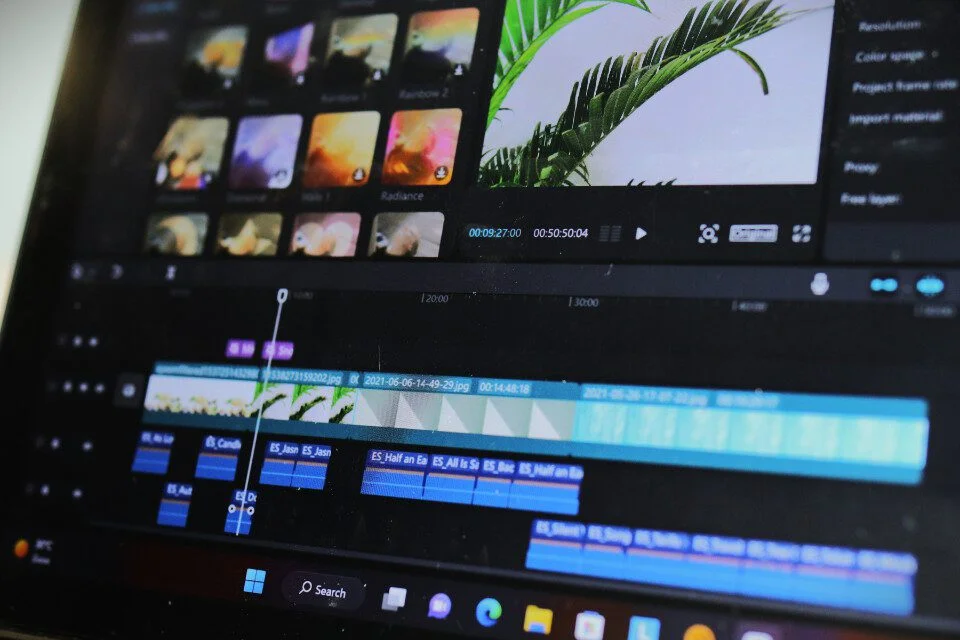
Video Editing With Adobe Premiere Pro
Master video editing with Adobe Premiere Pro.
Key Areas To Be Covered
Module 1: Introduction to the Adobe Premiere Pro Course
In this module, you will learn:
- A breakdown of how the course is structured
- What Adobe Premiere Pro is and what it can do
- Who this course is designed for
- The hardware and software you need to get started
- Tips on how to get the best results from this course
Module 2: Premiere Pro Basics
In this module, you will learn:
- How to set up and launch your very first Premiere Pro project
- How to navigate and personalise the Premiere Pro interface to suit your workflow
- How to bring in and organise your media assets — including video, audio, and graphics
Module 3: Video Editing Basics
In this module, you will learn:
- Creating new sequences and understanding how existing ones work
- Understanding the Premiere Pro timeline and its core functions
- Adding footage to the timeline and using advanced techniques to speed up your process
- Key editing tools such as the razor, ripple edit, and slip tool
- Syncing audio and video with a single button click
- Editing interview-style and talking head footage effectively
- Building out your sequence using B-roll footage
- Adjusting video properties like scale, position, and opacity
- Using the new Transform and Crop features in Premiere Pro 2025
- Navigating the Effects panel quickly using the new effects badge
- Advanced cut techniques: L-cuts, J-cuts, and straight cuts
- Ten keyboard shortcuts that will dramatically speed up your editing
- AI-powered text-based video editing using Adobe Sensei
Module 4: Adding Styles To Your Videos
In this module, you will learn how to give your videos a distinct visual identity through a variety of creative styling techniques in Adobe Premiere Pro.
Module 5: Adding Video and Audio Transitions
In this module, you will learn:
- An overview of video styling approaches in Premiere Pro
- Animating zoom-in and zoom-out effects using keyframes
- Building dynamic zoom sequences using nested clips
- Layering videos with blend modes, plus a quick stabilisation trick
- Copying clip properties and creating circular video masks
- Using borders to achieve a split-screen style effect
- Applying the Ken Burns effect to scale images dynamically
- Three creative methods for adding emotional depth to your videos
- Working with cinematic overlays and understanding aspect ratios
Module 6: Audio Editing in Premiere Pro
In this module, you will learn:
- Controlling audio volume levels to get the right balance
- Removing unwanted background noise from your recordings
- Using the Essential Sound panel to simplify your audio workflow
- Automatically lowering background music when dialogue is present (ducking)
- Trimming and adjusting music to match the length of your video
- Applying effects across entire audio tracks using the track mixer
- Saving your audio settings as a reusable preset
- Adding and fine-tuning sound effects within your project
- Creative ways to use sound effects to enhance viewer engagement
Module 7: Titles and Graphics
In this module, you will learn:
- How to animate graphics and bring motion to your visual elements
- Understanding Responsive Design — Position and how it works
- Installing and applying pre-built graphic presets
- Creating scrolling end credits in Premiere Pro
- Aligning graphic layers quickly using keyboard shortcuts
- Swapping out media within Motion Graphics Templates
Module 8: Color Correction and Color Grading
In this module, you will learn:
- How to correct the colour and exposure of your footage
- Matching the colour tone consistently across multiple clips
- Applying and customising LUTs to achieve your desired visual style
- Using scopes and panels to achieve precise colour balance
- Building a cohesive, polished look throughout your entire video
- Exporting colour-graded content without quality loss
Module 9: Video Effects
In this module, you will learn:
- How to apply and manage video effects on your clips
- Turning effects on and off with keyframe animation
- Stabilising shaky or handheld camera footage
- Blurring faces and other objects for privacy or stylistic purposes
Module 10: Exporting Your Videos
In this module, you will learn:
- Using the Quick Export feature for fast and simple video output
- Exporting your video with the correct settings for any platform or screen type
- Diagnosing and fixing colour discrepancies that can appear during export
Module 11: Video Speed
In this module, you will learn:
- Understanding frame rates and how they relate to video playback speed
- The quickest way to speed up, slow down, or reverse a clip
- Adjusting clip speed by reinterpreting the frame rate
- Creating freeze frames and applying frame holds at specific moments
Module 12: Green Screen / Chromakeying
In this module, you will learn:
- A complete walkthrough on removing green screen backgrounds in Premiere Pro
- Refining your green screen result to blend naturally with replacement backgrounds
Module 13: Advanced Premiere Pro Skills
In this module, you will learn:
- Course overview and what to expect in this advanced section
- Organising your clips more effectively using labels and markers
- Quickly swapping footage using the Option Drag shortcut
- Editing projects with mixed resolutions without slowing down your workflow
- Exporting a still frame from your timeline as an image file
- Working with nested sequences for cleaner, more manageable timelines
- Speeding up your editing using the My Library feature
- Optimising Premiere Pro performance on lower-spec machines
- Editing with proxy files to keep your workflow smooth at high resolutions
- Using Auto Reframe to instantly adapt your video for different screen formats
- Maximising your workspace by expanding panels to full screen
- Connecting Premiere Pro with other Adobe tools via Dynamic Link
- Cutting multi-camera footage efficiently using the multicam workflow
- Relinking missing or offline media in your project
- Grouping, linking, and unlinking clips for greater editorial control
- Working collaboratively with other editors through Team Projects
- Cleaning up your timeline using the latest sequence simplification tools
Module 14: Advanced Creative Video Editing
In this module, you will learn:
- Designing eye-catching title animations that stand out over video
- Placing video footage inside text or a logo shape for a stylish effect
- Adding atmosphere with light leaks, film burn overlays, and lens flares
- Giving your footage a vintage film aesthetic
- Animating a typewriter-style text reveal using the Type-On effect
- Smoothly zooming in and out of clips with animated keyframes
- Creating custom wipe-on and wipe-off transition reveals
- Applying a retro VHS look to your video in Premiere Pro
- Reformatting and repurposing content for different devices using Auto Reframe
- Integrating Adobe After Effects projects via Dynamic Link
- Efficiently cutting footage from multiple camera angles
- Relinking offline files to keep your project running smoothly
- Using grouping and linking tools to maintain better control over your timeline
- Collaborating with other editors remotely through Team Projects
- Simplifying complex timelines with Premiere Pro’s sequence simplification feature
Module 15: Advanced Color Grading
In this module, you will learn:
- An overview of what this advanced colour grading module covers
- Achieving the iconic orange and teal cinematic colour style
- Creating a warm, bright, and uplifting tone for your footage
- Applying a cool blue palette for a clean and calm visual feel
- Crafting a moody, desaturated look to add dramatic impact
- Comparing a simple black-and-white conversion with a stylised film noir grade
- Replicating well-known Hollywood colour grades, including the signature look from The Matrix
Module 16: Make Better Videos With Stock Elements
In this module, you will learn:
- How to boost your productivity by making use of stock resource libraries such as Envato Elements
- The best stock asset platforms available to video editors today
- Seamlessly weaving stock elements into your editing projects
- How to find assets that complement your video’s look and feel
- Enhancing the production value of your projects with premium stock footage
- Building custom transitions and visual styles using stock content
- Using stock Motion Graphics Templates directly inside Premiere Pro
- Creating polished social media content quickly with ready-made templates
- Customising After Effects templates to fit your specific needs
- A wrap-up of the stock assets section and next steps
Capstone and 20+ Video Editing Projects
Throughout this course, you will complete between 15 and 20 hands-on mini-projects alongside 3 major Capstone Projects, all designed to prepare you for real employment in video editing. We understand precisely what employers look for, and we will make sure you have both the technical skills and the confidence needed to go after any video editing opportunity that comes your way.
Bonus 1: A Mentorship Session with a Top Video Editor
As part of this bonus, you will get access to a live Ask-Me-Anything session with an experienced, professional video editor who will provide personalised guidance to help you move forward in your career.
Bonus 2: How To Earn $1,000+ Monthly as a Remote Video Editor
In this bonus session, a successful freelance video editor will walk you through a proven, step-by-step blueprint for earning at least $1,000 every month from remote work — no prior freelancing experience required.
Bonus 3: A Step-by-Step Guide to Relocating to the UK from Nigeria via a Skilled Worker Visa or Tech Nation Visa
This bonus provides a comprehensive, practical guide on how to apply for a Skilled Worker Visa or Tech Nation Visa, walking you through every step of the relocation process from Nigeria to the United Kingdom.
Bonus 4: FREE Access to a Workspace with Ultra-Fast Starlink Internet
Enrol today and gain complimentary access to our dedicated workspace facility, equipped with high-speed Starlink satellite internet at no additional cost.
Phase 3
Get Interview Successfully

Interview Procedure for Video Editing: How to Get Hired
Developing Your Skills to Land Your Dream Video Editing Position.
Key Areas To Be Covered
01. Showcasing Knowledge
- Make use of websites such as Amazon, Instagram, LinkedIn, and Facebook.
- Use engagement and content to build credibility. Investigate the role and the company in depth.
02. Preparing for Common Question
- Create compelling answers to common interview questions.
- Confidently respond to challenging or unexpected inquiries.
03. Interview Preparation
- Do some advance research on the business and position.
- Get ready for both online and in-person interviews.
04. Virtual Interview Success
- Optimize the technology setup, background, and lighting.
- Use the screen to efficiently and powerfully interact.
05. Post Interview Follow-Ups
- A considerate follow-up email should be sent to reaffirm interest.
- Respond to any issues and keep lines of contact professional.
To REGISTER
Transfer or Pay ₦70,000 Into:
ACCOUNT NUMBER
0058423529
ACCOUNT NAME
SKILLBOOST LIMITED
BANK NAME
UNITY BANK
After Payment, Send Your Proof of Payment to 08028973599 via WhatsApp to Complete Your Registeration.
Training Details
No need to quit your job or school, you can enhance your professional and earning potential with our weekday, weekend and online sessions.
Ibadan Physical Training (Weekday)
- SkillBoost Limited: 4, Obe Street, Beside BOVAS Filling Station, New Bodija, Ibadan, Oyo State, Nigeria.
- Start Date: 2nd March 2026.
- Days & Time: (Mon, Wed and Fri) 10:00AM – 1:00PM
- Duration: 6 Weeks
Port Harcourt Physical Training (Weekday)
- SkillBoost Limited: Fonte House, 1 Temple Ejekwu Close, First Artillery Junction, Aba Road, Port Harcourt, Rivers State.
- Start Date: 2nd March 2026.
- Days & Time: (Mon, Wed and Fri) 10:00AM – 1:00PM
- Duration: 6 Weeks
Frequently Asked Questions
Who is this Video Editing course designed for?
- Anyone who wants to learn how to edit videos.
- Those who are already working in the video editing industry but want to develop their skills.
- For novices, this course is ideal. To start, no prior knowledge is required.
Do I need prior Video Editing experience to take this course?
No prior experience is required. This course is designed for beginners while also offering valuable insights for those with existing HR knowledge.
Will I receive a certificate after completing the course?
Yes. Upon successful completion, you will receive a professional certificate that highlights your HR expertise and strengthens your resume.
Why should I choose Jobready instead of other training institutes?
People favor Jobready above competitors due to the following:
- Experts-led: A number of our mentors and trainers are employed by some of the largest tech companies worldwide, including Google, Facebook, and others.
- Project-Based Training: We use extensive real-world projects to help our students gain confidence.
- Job Recommendation: We put our pupils in touch with prestigious companies both inside and outside of Nigeria.
- We provide free career counseling and coaching.
Access to the Jobs Community and Support is free. - Acknowledged Certificate: Our certificates are accepted all around the world.
- Flexible scheduling (weekend, online, and in-class).
- Adaptable Payment Schedule
Do I need to own a computer before registering for this training?
Yes. It is advised that you bring your own laptop since it will make it easier for you to practice anything you are learning. However, if necessary, we provide laptops that can only be used on our property.